Block Panel here
Help with Getting your Posts to Display Immediate
 Posted by: Admin on October 3 2022 10:36:02.
During the process of creating a blog post, there is a setting to allow the post to start displaying on a certain date, or have no delay and display as soon as saved.
The system defaults to not displaying immediately.
To get it to display immediately, simple set the "Delay the display of this post?: " drop-down menu to Y, then in the date picker box, select yesterdays date. Or, select whatever date you want the post to begin showing.
There is value in the system defauting to NOT displaying, as this allows you to edit the post, then share it when ready.
I hope this helps, If you have a question, email me at docp@partnerwebhosting.com
Regards,
Doc
Doc Palmere, Ph.D.
Dav-wi.org Script Installer
Group Leader/Owner, PartnerWebHosting.com LLC
[Note: this post was formated using size 16 font, using font Veranda. All letters were set to boldface for easier reading]
Last Revised; Oct-3-2022 @ 10:45am






The system defaults to not displaying immediately.
To get it to display immediately, simple set the "Delay the display of this post?: " drop-down menu to Y, then in the date picker box, select yesterdays date. Or, select whatever date you want the post to begin showing.
There is value in the system defauting to NOT displaying, as this allows you to edit the post, then share it when ready.
I hope this helps, If you have a question, email me at docp@partnerwebhosting.com
Regards,
Doc
Doc Palmere, Ph.D.
Dav-wi.org Script Installer
Group Leader/Owner, PartnerWebHosting.com LLC
[Note: this post was formated using size 16 font, using font Veranda. All letters were set to boldface for easier reading]
Last Revised; Oct-3-2022 @ 10:45am
No Comments Yet! - Be the first to comment.
Categories
Latest Posts
All Posts
Submitted: Tiffany Koehler, 3rd Junior Vice Commander

Help with Getting your Posts to Display Immediate
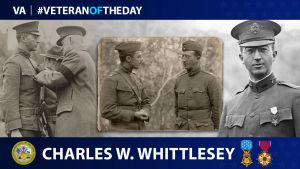
VeteranOfTheDay Army Veteran Charles W. Whittlesey

VeteranOfTheDay Marine Corps Veteran Ronald L. Green

Played with Younger and James Boys
Submitted: Tiffany Koehler, 3rd Junior Vice Commander
Posted on January 1 2023 12:44:03 by Jim.
Help with Getting your Posts to Display Immediate
Posted on October 3 2022 10:36:02 by Admin.
VeteranOfTheDay Army Veteran Charles W. Whittlesey
Posted on October 2 2022 17:02:31 by Fred.
VeteranOfTheDay Marine Corps Veteran Ronald L. Green
Posted on October 2 2022 16:56:23 by Fred.
Played with Younger and James Boys
Posted on September 16 2022 10:05:17 by Jim.